

what can you do
to prevent your Instagram account from being
HACKED?
So what can you do to prevent your Instagram account from being hacked? We’ll go over 4 strategies for keeping your account secure.
Step #1: Choose a Secure Password
More phishing and hacking attempts occur as more users create Instagram accounts. And who is the main offender? a poor password. Additionally, it’s a good idea to use different passwords for every account you have, as this makes it more difficult for hackers to access all of your data. Once you’ve selected a potential password, enter it for one last check into How Secure Is My Password. This will let you know if your password is strong enough to fend off a hacking attempt.
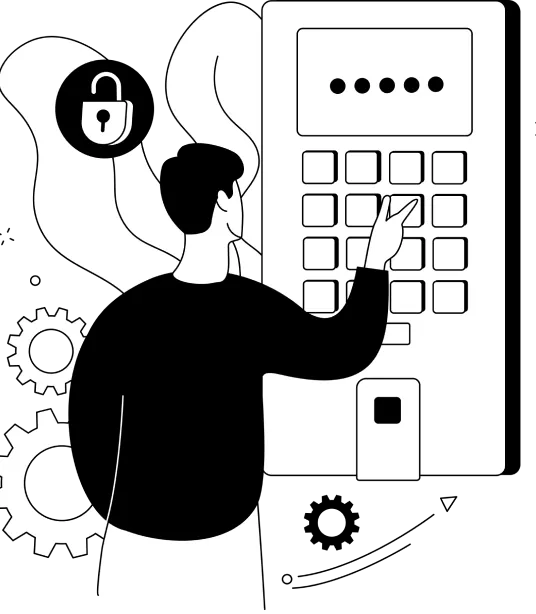
Step #2: Turn on Two-Factor Authentication
To turn on two-factor authentication in Instagram, head to your Settings and tap “Two-Factor Authentication. ”Tap “Get Started”, and you’ll have two options to choose from: “Authentication App” and “Text Message”.
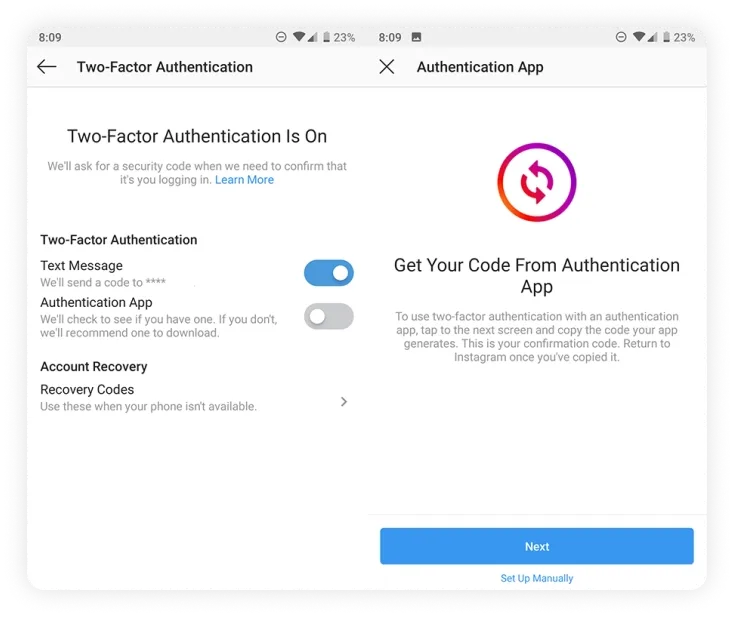
Option #1: Authentication App
The “Authentication App” is a third-party authentication app
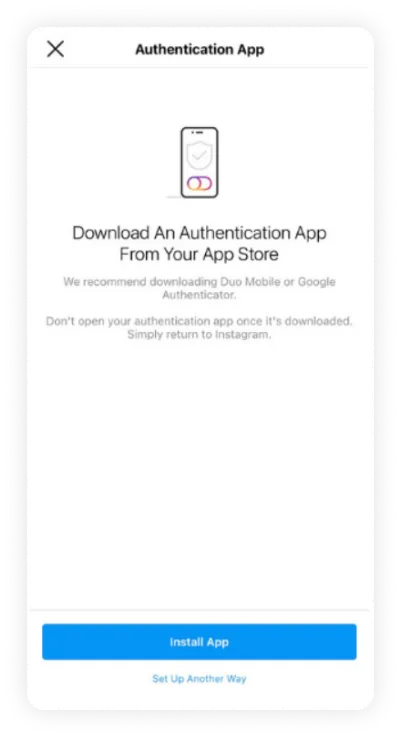
If you already have an authentication app installed, Instagram will automatically find the app and send a code to it. You’ll need to retrieve the code, enter it on Instagram, and two-factor authentication will turn on.
If you don’t have an authentication app, Instagram will recommend one that you can download before completing the process.
Text Message
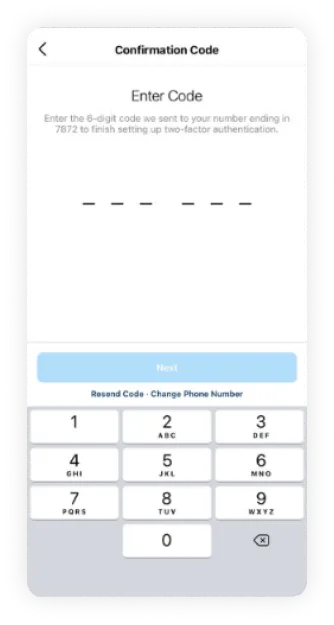
If your account doesn’t have a confirmed phone number, you’ll be asked to enter one. Once you’ve entered your phone number, tap the “Next” button.
Now when you log into your Instagram account from an unknown device, you’ll be prompted to enter a security code that you receive by SMS.
Step #3: Make Sure Your Email Account Is Secure
It’s a good idea to secure your email with two-factor authentication or email encryption. These easy deterrents can go a long way to protect your Instagram account from the hands of hackers.

Step #4: Revoke Access to Suspicious Third-Party Apps
It’s common to use Instagram as an authorized account to sign into third-party apps like games, and photo editing tools. But did you know that even if you haven’t used said third-party apps in weeks, months, or even years, they may have access to your social media profile and account information?
And if their database is targeted, your details are up for grabs. Which is why IG suggests to “think before you authorize a third-party app.” To manage your third-party apps, open your Instagram profile on your desktop computer, click the settings button, and then click on “Apps and Website”
Here you’ll find a list of apps that you’ve authorized access to. If you notice any suspicious apps, you can easily click the “Revoke Access” or “View and edit” button.
